Skip to product information

⏰ LAST DAY 50% OFF-❤️Emergency Bracelet with SOS Button for Seniors

⏰ LAST DAY 50% OFF-❤️Emergency Bracelet with SOS Button for Seniors

★ ★ ★ ★ ★
Excellent 4.9 4,983 Reviews
★ Verified
United States
DESIGNED & DEVELOPED IN
● Casper, WY
✓ Shopify Secure
Customer Customer Customer Customer Customer
2032+ orders Today's orders
Regular price $37.98
Regular price $37.98 Sale price $74.99
SAVE 49% Sold out
⏰ LAST DAY 50% OFF-❤️Emergency Bracelet with SOS Button for Seniors

⏰ LAST DAY 50% OFF-❤️Emergency Bracelet with SOS Button for Seniors

Regular price $37.98
Regular price $37.98 Sale price $74.99
SAVE 49% Sold out


A SIMPLER WAY TO SIGNAL FOR HELP

What If Mom Needs Help… and Her Phone Is Out of Reach?

Senior wearing SOS emergency wristband

Meet the one-press SOS wristband. Within its home Wi-Fi coverage, a press can send an app alert to connected family members, without the wearer having to find a phone.

✓ One-Press SOS ✓ Family App Alerts ✓ No Monthly Fee
SEE OPTIONS & PRICE ↑ For home 2.4GHz Wi-Fi use. Manual SOS activation required.
THE EVERYDAY WORRY

You Can't Always Be There. But You Can Make Asking for Help Easier.

“What if something happens while I'm at work… and they can't reach their phone?”
📱
No phone to search for

The SOS button stays on their wrist when they wear it.

🏡
More independence at home

A straightforward way to notify family when assistance is needed.

Family emergency SOS wristband
HOW THE SOS ALERT WORKS

One Press for Them. An Alert for You.

No tiny touchscreen or complicated on-wrist controls. Just an SOS button linked to a family member's phone app.

01
Wear the wristband

Keep it on during normal home activities.

02
Press SOS when help is needed

The device uses the configured 2.4GHz home Wi-Fi connection.

03
Family receives an app notification

A connected person can then call, check in, or arrange help.

Important: The button does not automatically detect a fall or directly call 911. Successful notifications depend on the network and app connection.
SOS button and family notification illustration
Illustrative alert flow. Actual app interface may differ.
DESIGNED FOR EVERYDAY LIFE

Less Technology to Learn. One Clear Action to Remember.

Simple for the wearer. Practical for the family that helps set it up.

🆘 Large SOS Button

A clear, easy-to-identify action.

⌚ Wrist-Worn Access

Keep it nearby without carrying a phone.

📲 Phone App Alerts

Connected loved ones can be notified.

💳 No Monthly Fee

No subscription for the listed basic alert feature.

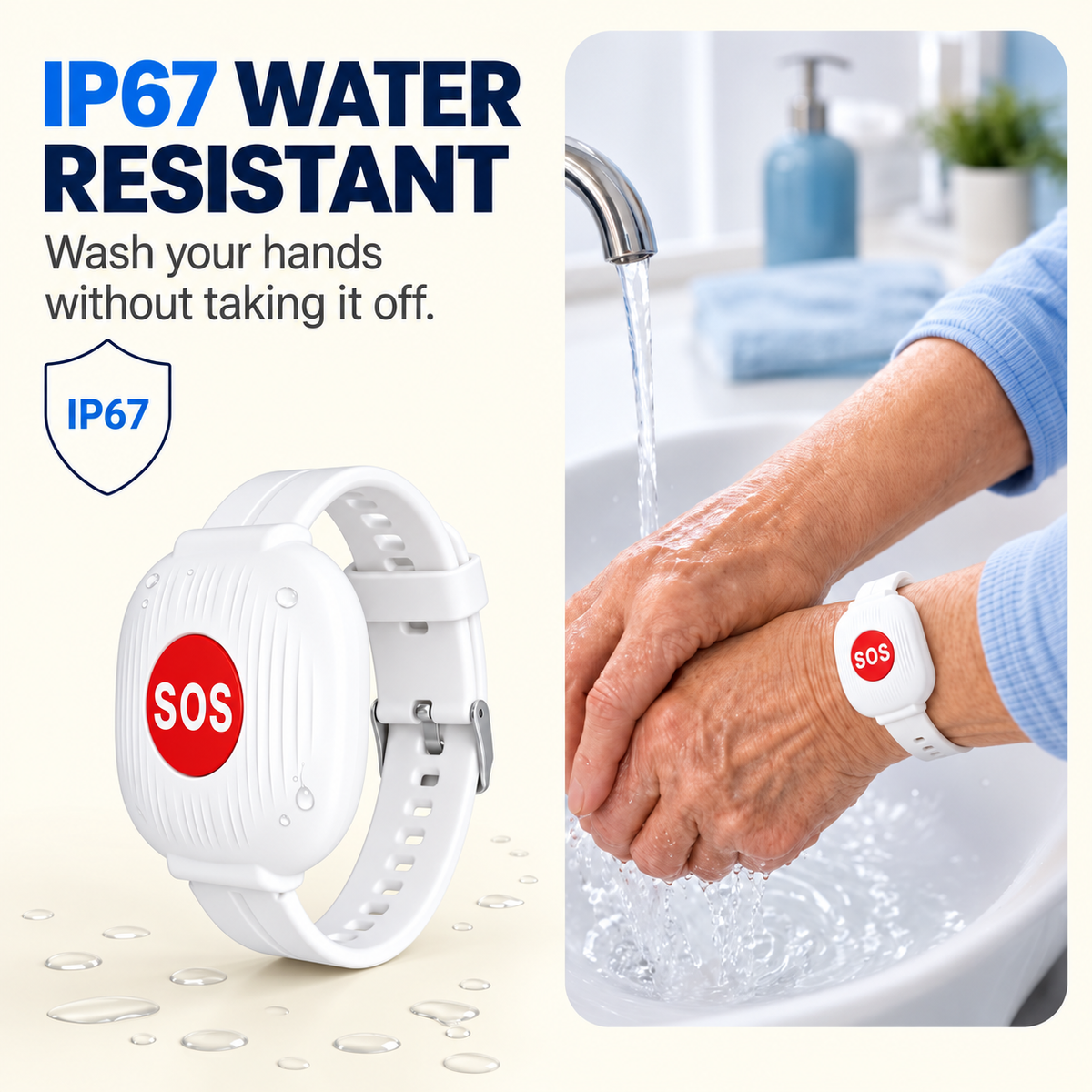
IP67 water resistant SOS wristband
STAY INFORMED FROM AWAY

They Use Home Wi-Fi. You Can Receive the Alert Away From Home.

At work, across town, or visiting someone else, the connected family phone can receive app alerts over the internet.

🏠 The wristband must remain within its configured Wi-Fi coverage.
Family SOS phone alert illustration
Illustrative graphic. Actual timing depends on network and app availability.
Multiple family members receive SOS alerts
Family sharing illustration. Availability depends on the companion app.
SHARE THE CARE

One Simple Alert. A Family Ready to Respond.

If the companion app supports multiple recipients, connect family members and test each phone together. A clear plan helps everyone know who should check in.

👨👩👧Set up together
Check app sharing options and make sure notifications are enabled.
SIMPLE DAILY MAINTENANCE

Easy Charging. Made for Regular Home Use.

USB-C charging and an advertised battery interval of approximately 3–4 months help reduce maintenance.

Home Network 2.4GHz Wi-Fi
Power USB Type-C
Battery* Approx. 3–4 Months
Alerts Connected Phone App
Activation Manual SOS Button
Subscription No Monthly Fee

*Advertised battery life varies with usage and connection conditions.

SOS wristband charging and battery illustration
BEFORE YOU BUY

Easy to Wear. Important to Set Up Correctly.

Set up the connection together, allow phone notifications, and test the alert before relying on it.

① Connect the Wi-Fi Pair the wristband using the companion app and home 2.4GHz Wi-Fi network.
② Enable Family Alerts Set up receiving phones according to app support and enable notifications.
③ Test Together Press the button to confirm the alert arrives. Repeat checks after network or phone changes.
Know the limits: This is a manual family-alert tool, not a medical monitoring device or professional emergency response service. It does not automatically detect falls. If Wi-Fi, electricity, internet, or the receiving app is unavailable, alerts may not be delivered. For life-threatening emergencies, contact local emergency services directly.
FAMILY EXPERIENCES

The Difference Is Feeling Less Helpless From a Distance.

Simple setup and a little more connection can mean a lot to a family.

★★★★★

“A perfect alternative to classic monthly-fee telecare services. You buy it once, connect it to the home Wi-Fi, and it gives our family a much simpler way to stay connected.”

Customer SOS bracelet review
— María G.
★★★★★

“The app was easy to install and use. We tested it with my father on the first day and the notification reached my phone very quickly. The setup feels straightforward and practical.”

SOS wristband app alert customer review
— Laura R.
★★★★★

“I bought the bracelet for my mother, who lives alone. It makes me feel better knowing she has a simple button she can press if she needs us.”

Senior emergency bracelet customer experience
— Beatriz M.
QUESTIONS BEFORE ORDERING

A Few Things Worth Knowing.

Does the person wearing it need a smartphone?

Not for everyday use of the wrist button. A connected family member needs the companion app for setup and alerts.

Will it work outside the house?

The wristband relies on its configured 2.4GHz Wi-Fi network. It is not a cellular or GPS emergency device and should not be relied on outside the network's coverage.

Do I have to be at home to receive an alert?

No. A connected family member's phone can receive notifications remotely when the wristband is online and the phone has an active internet connection.

Does it call 911 or detect falls automatically?

No. The wearer must press SOS. It does not automatically detect falls or directly contact emergency dispatch.

Does it require a monthly subscription?

The listed basic app alert feature is offered without a monthly subscription. Home Wi-Fi and phone internet connections are still required.

How long does the battery last?

The advertised duration is approximately 3–4 months. Actual duration depends on usage and connection conditions. Recharge using USB-C as needed.

Can several family members receive alerts?

The exact number of recipients and sharing steps depend on the companion app. Confirm support before relying on multiple recipients.

What happens if home Wi-Fi is down?

Without the required connection, SOS app notifications may not arrive. Keep other emergency communication methods available.

A SMALL BUTTON. A MEANINGFUL CONNECTION.

Give Them a Simpler Way to Say, “I Need You.”

Support everyday independence at home with a one-press SOS wristband that can notify connected family members when help is needed.

SHOP THE SOS WRISTBAND ↑
For home Wi-Fi use only · Manual SOS · Not a substitute for emergency services


View full details